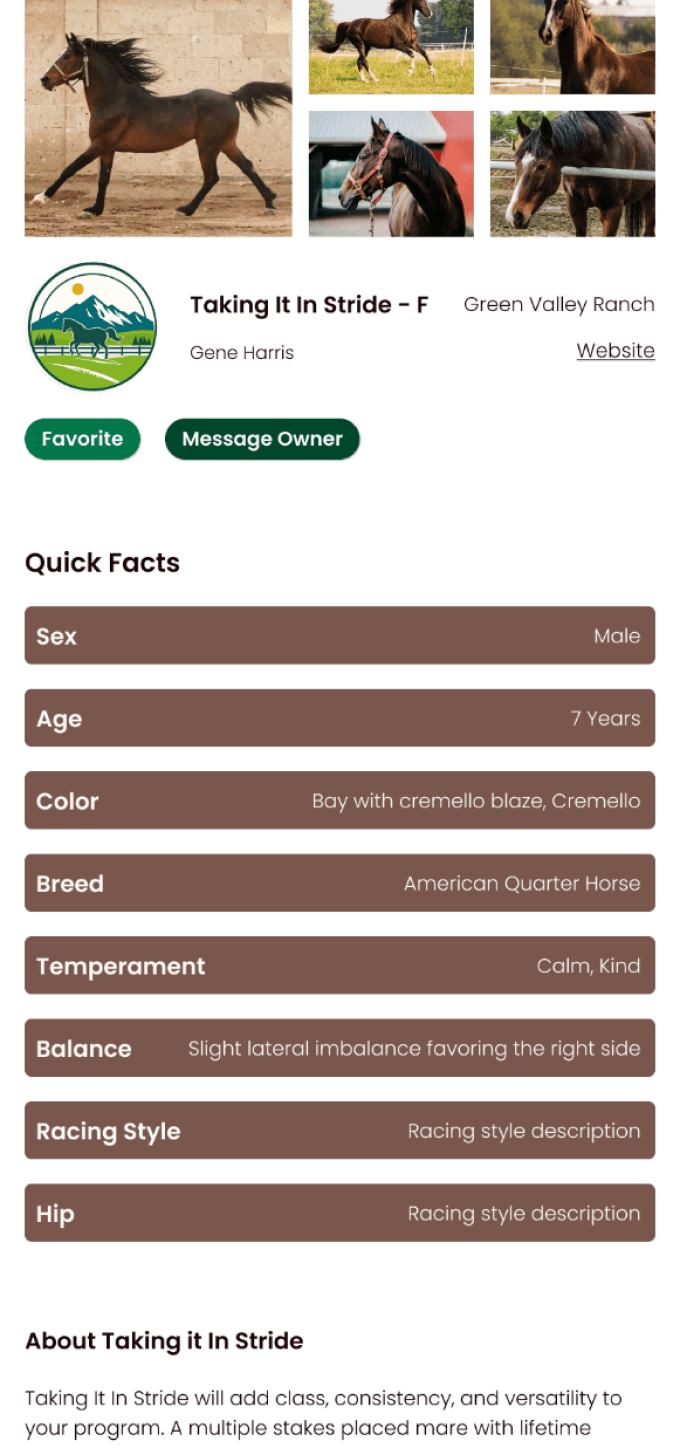


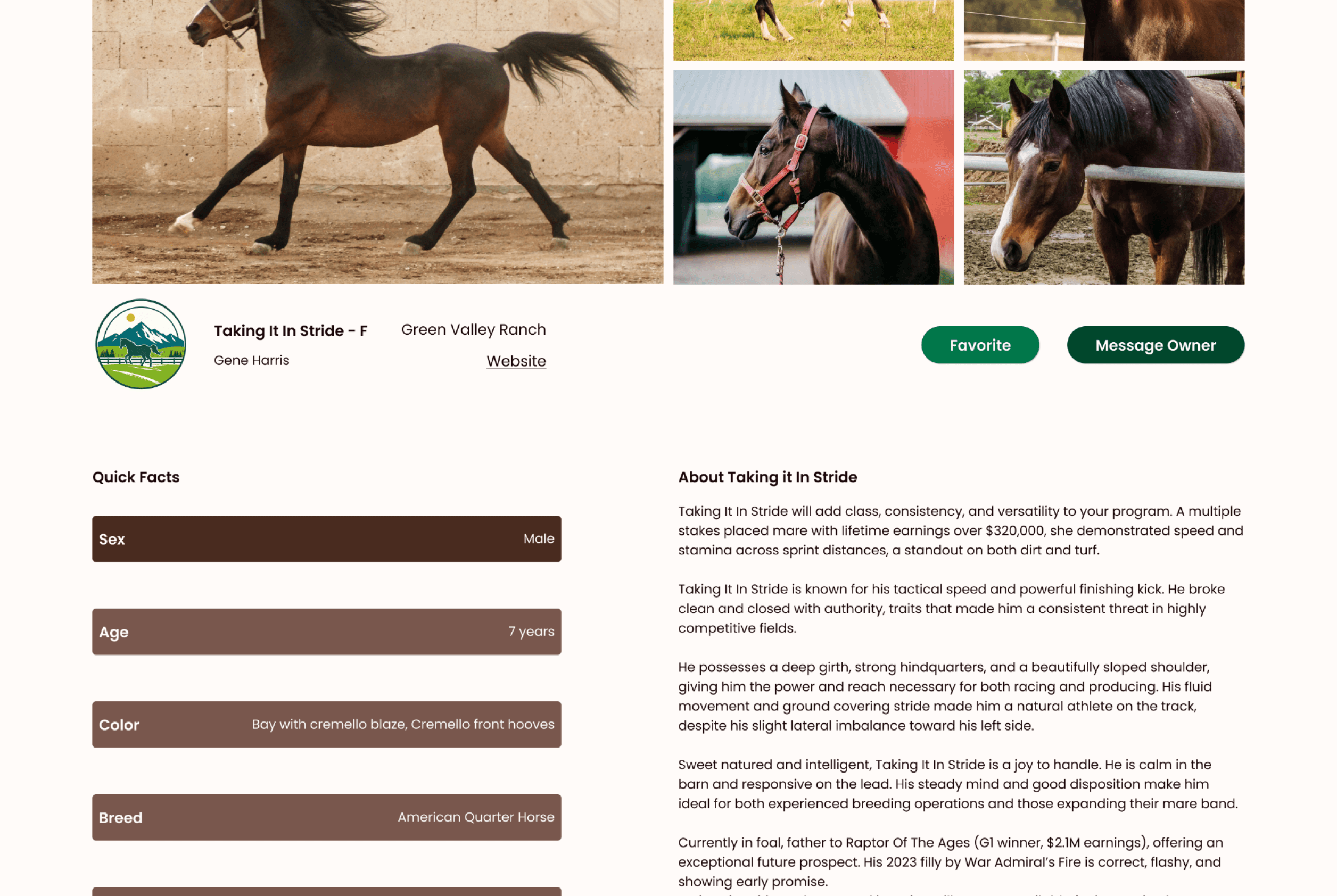
Hitch & Herd
Matchmakers for grass grazers
Overview
Role
UX Researcher, UX/UI Designer
Team Size
1 designer
2 founders
Timeframe
6 months
Deliverables
desktop & mobile functioning screens
Toolkit
Figma, FigJam, Adobe Illustrator, Maze
Background
Hitch & Herd is a networking platform used to link livestock breeders to broaden their herd potential. Users who are looking to expand their genetics quickly and efficiently online can connect with users of the same goal. Think of it like a dating app but for livestock!
This startup focuses on horse breeding specifically in its beginning. Horse breeders have 3 busy seasons per year; show, breeding, and foal. This is a recipe for chaos and no rest. Users could benefit from a product doing the networking for them.
Problem
Livestock breeders are fearful of trying new concepts when it comes to something as precious as their livelihood. Steeped in tradition, gaining trust in using a new product to connect their animals for breeding is tricky.
Goals
Networking has always been done by personal connections and word of mouth. This method works but it is time consuming. Once users are able to see the ease that a software can provide they can gain confidence. Additionally, Hitch & Herd has breeding experts already in support of the product which may help settle any distrustful woes.
Research
How might we alleviate fatigued horse breeders’ schedules during their most busy season by taking tedious and repetitive tasks off of their plate?
Competitive Analysis
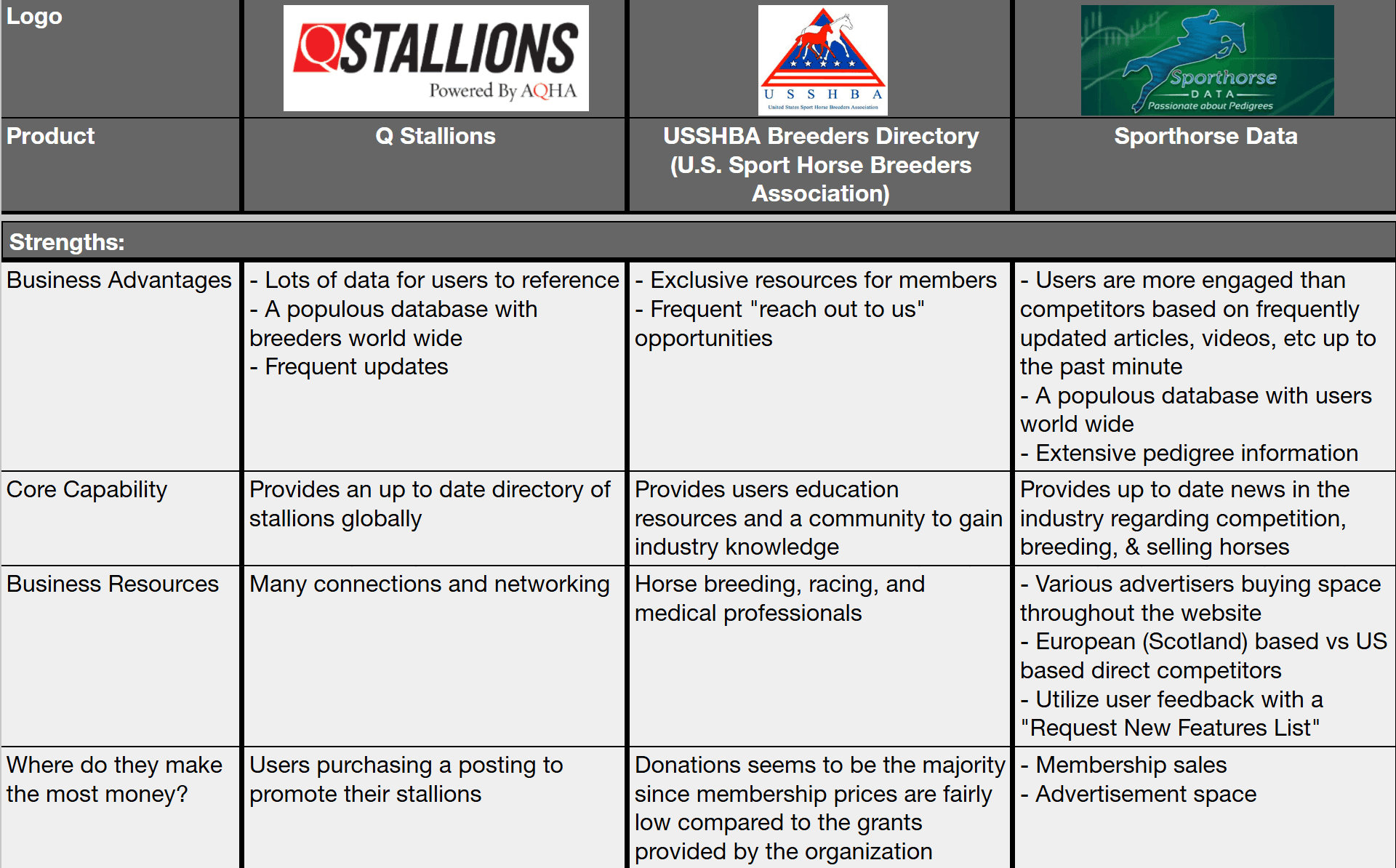
Through reviewing established horse breeding databases we can better understand features that are popular with users. The websites all provided similar information but varied mostly on location offerings.
There weren’t any that were a direct match to the client’s product.
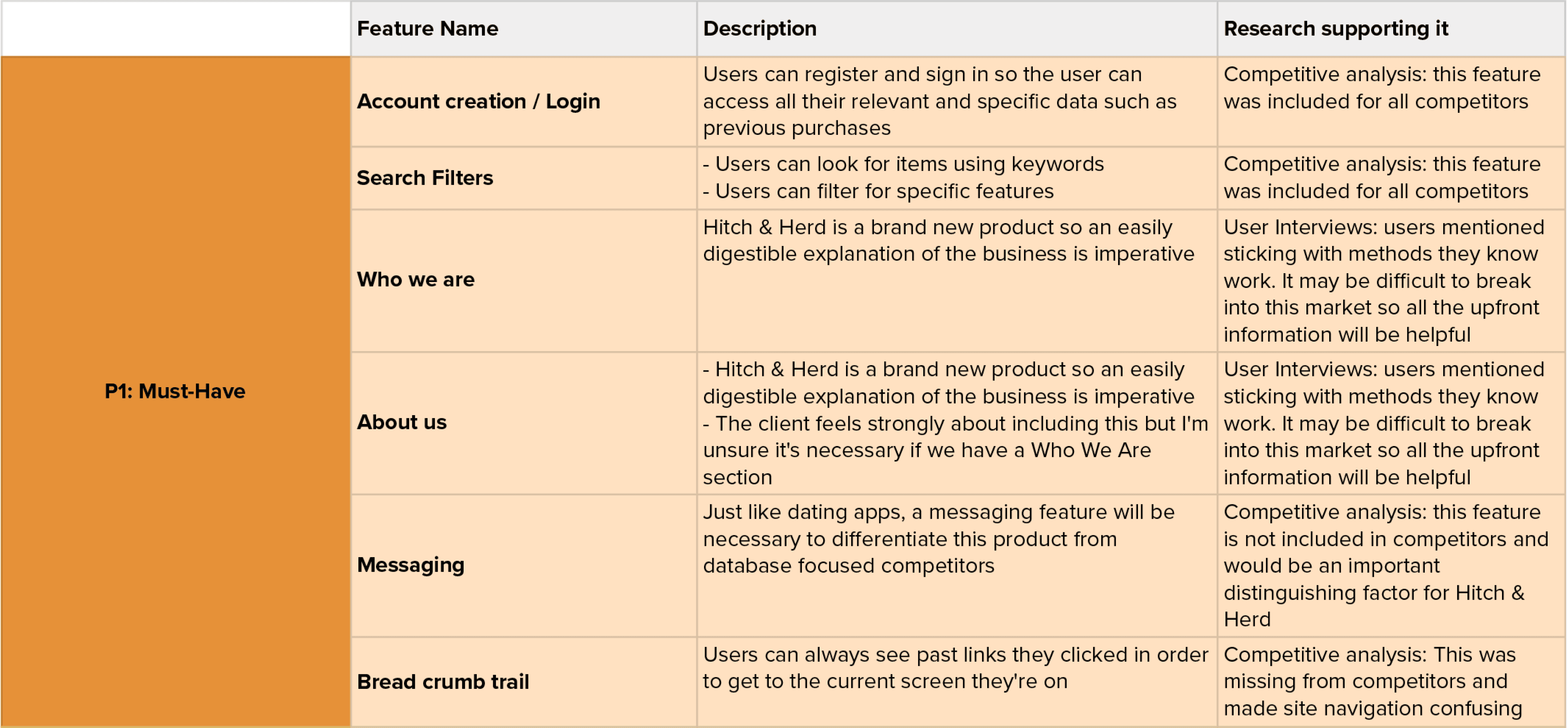
Feature Roadmap
Through reviewing established horse breeding databases we can better understand features that are popular with users. The websites all provided similar information but varied mostly on location offerings.
There weren’t any that were a direct match to the client’s product.
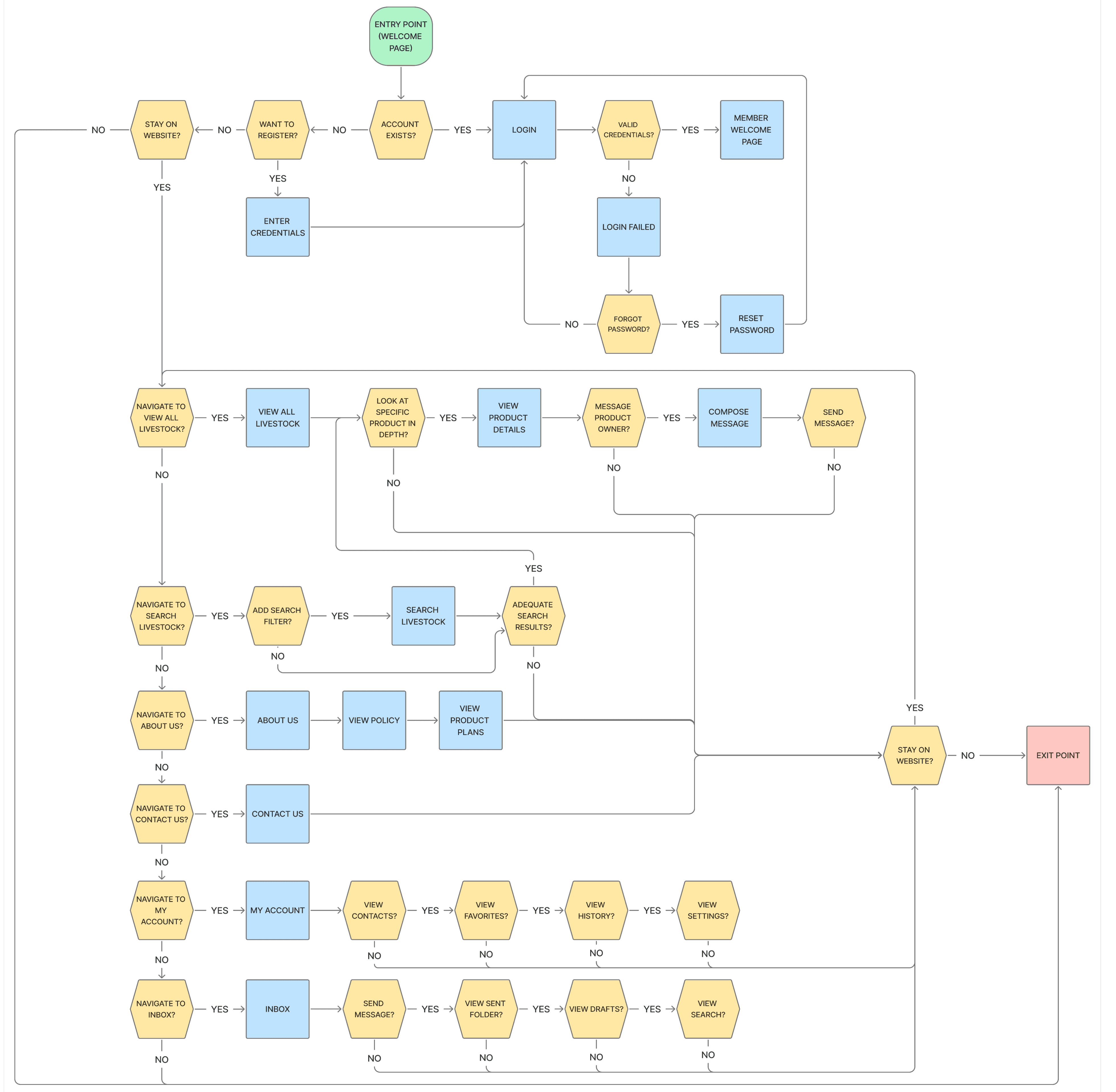
User Flow
Priorities to Keep in Mind
Extensive search filters so users can easily find what they’re looking for
A clear path out so users do not get stuck on a page
A transparent and concise overview of the company to familiarize users who may be checking the product out for the first time
Learnings
Creating a user flow means keeping in mind every single possible path in which can be navigated through the product. This was really helpful in deciding which pages would take priority.
Interviews
Pool Size
6 virtual interviews
User Dislikes
Not having time to sleep during busy season,
The unpredictability of working with live animals
User Priorities
Minimal learning curve,
trust,
flexibility,
consistency from supporting services
Goal
By speaking with horse breeding professionals on their career experiences and lifestyle we can better understand specifically what kind of features would be most beneficial for this product.
Sample Questions
How many foals (births) do you have per year?
Shows a better understanding of how busy this customer base is
When breeding, do you only use your personal studs or do you outsource?
Shows how much networking this user does for breeding purposes
What are your most utilized resources for networking your business?
Confirming if those interviewed preferred word-of-mouth as the client had advised.
“The more you think about it, the more you wonder why anybody does it.”
User Persona 1

“It Is For Sure 100% A Way Of Life And It Never Turns Off.”
Name: Mark
Age: 41
Location: Cresson, Texas
Family Status: married, 3 children
Occupation: Equine Breeding Manager
Hobbies: hunting, attending his children’s events, casual baseball with his children
Community: learns about politics and current events based on what he hears in his social circles. His seasonal work schedule is too unpredictable and busy to be involved in extra activities
Motivations
Family purpose from providing for loved ones
Excitement adrenaline rushes from foaling and shows
Needs
Trustworthiness confidence that partnerships will benefit business
Excitement results experiencing benefits of labor efforts
Pain Points
Overloaded not enough time in the day to finish all necessary tasks
Excitement newcomers unwilling to learn the industry norms
User Persona 2

“A Really Cool Part Of This Job Is To See My Hard Work, To See Why We’re Doing It.”
Name: Lisa
Age: 52
Location: Smithfield, North Carolina
Family Status: married, 1 adult child
Occupation: Veterinarian Breeding Manager
Hobbies: horseback riding, casual bar hangouts, and general socializing
Community: she is too busy to be involved in extracurricular commitments for herself.
Motivations
Success winning shows makes continuing hard work feel doable
Growth increased production for semen and increased livestock births
Needs
Consistency reliable working relationships is crucial with inconsistent animals
Progress without continued successful pregnancies, her business will fail
Pain Points
Inconsistency shipping mishaps and live animals are unpredictable
Multitasking busy seasons happen all at once, wearing many hats is exhausting
Screen Design
One of the most helpful takeaway I had while designing was collaborating with a client resulting in endless ideas. I also enjoyed finding the right balance between traditional and new to cater to the user base.
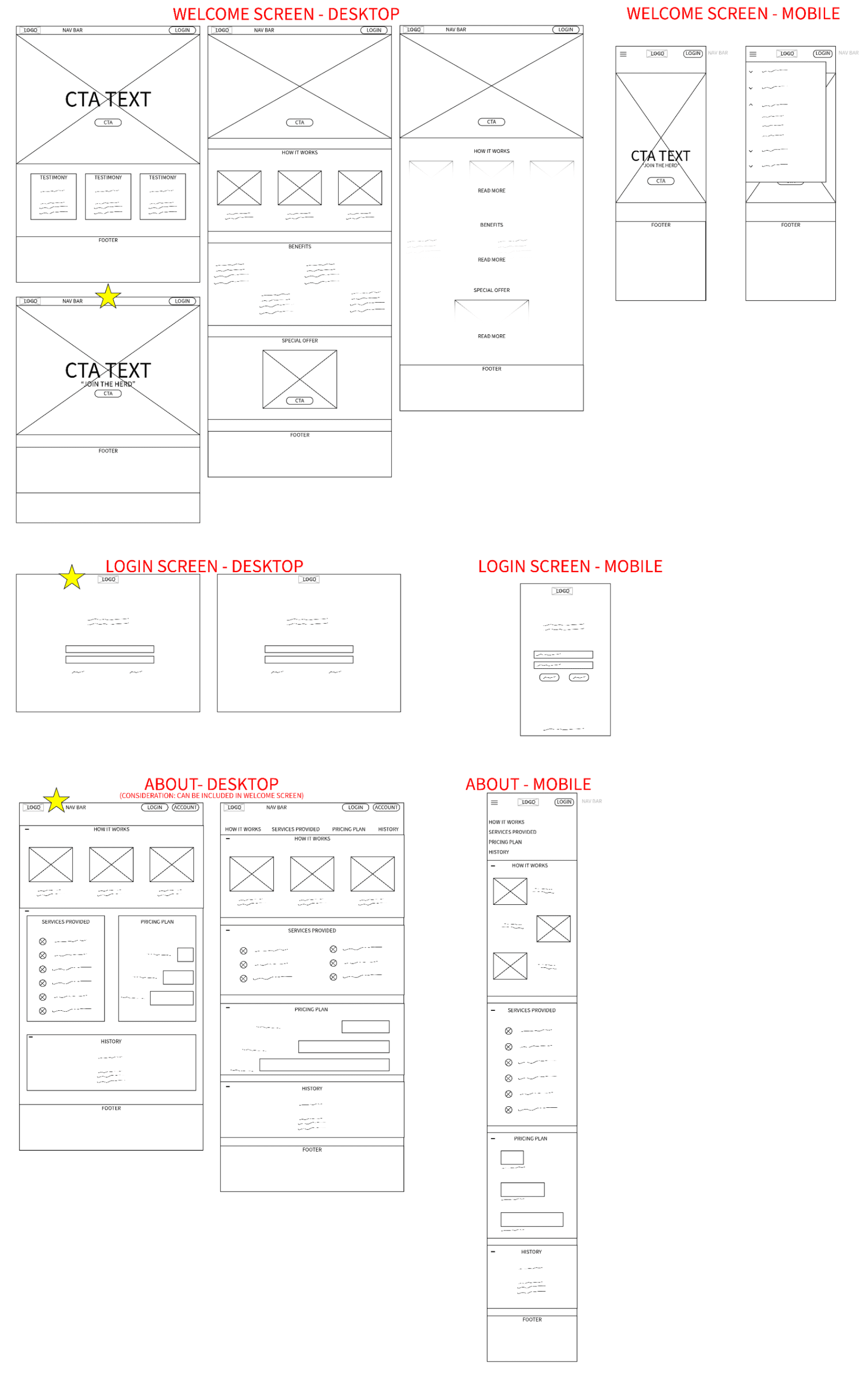
Lo-Fi Wireframes
The key tasks for screen development were to ensure customers would be able to navigate easily and also to balance the wants of the client.
Usability Testing
Objective
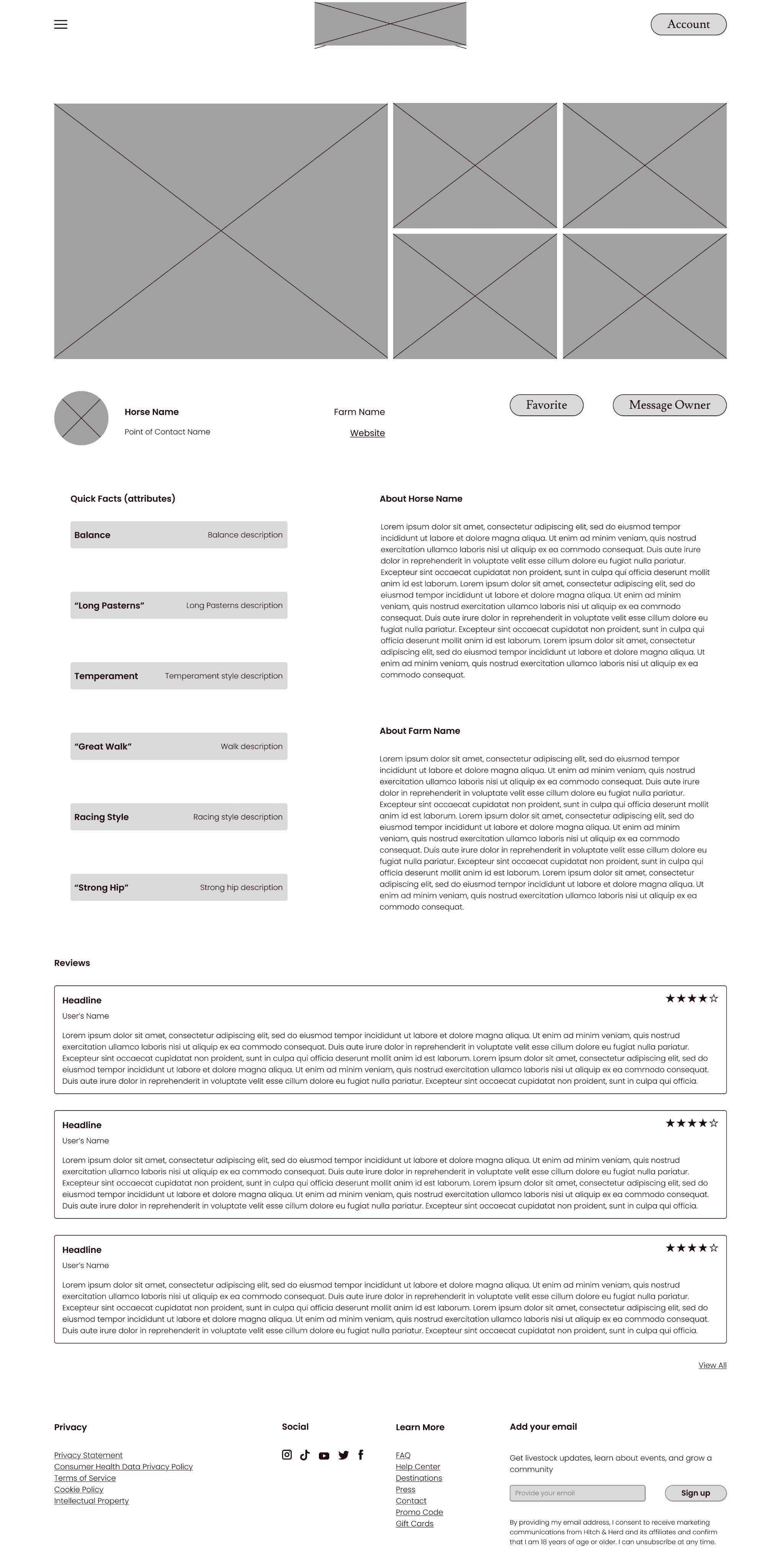
Users were to rank screen sections in order of importance when making a purchase
Participants
5 Users
Patterns
Users agreed that item photos are most important
Overall users did not find it as important to know about a business’ background
Surprises
Users do not find the item name important when making a purchase
Users overall tended to agree on the order of the screen categories
Considerations
Showcasing trustworthiness on the product page to keep users engaged with the platform and excited to make a purchase through the product platform
What I learned
A hierarchy of elements is vital for good communicative design. This happens early in the defining stage but is best showcased for the first time in lo-fi wireframes.
Visual Design
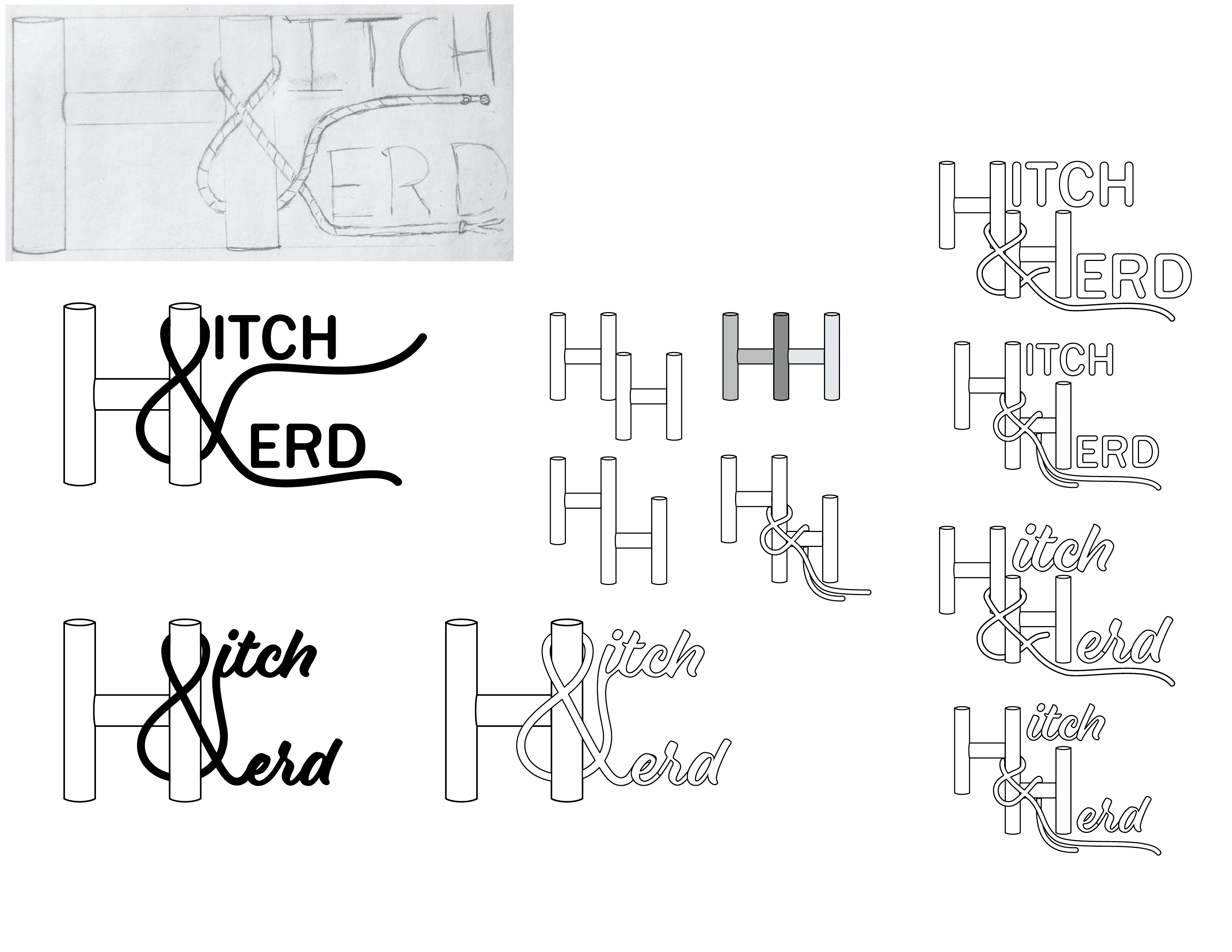
Logo Development
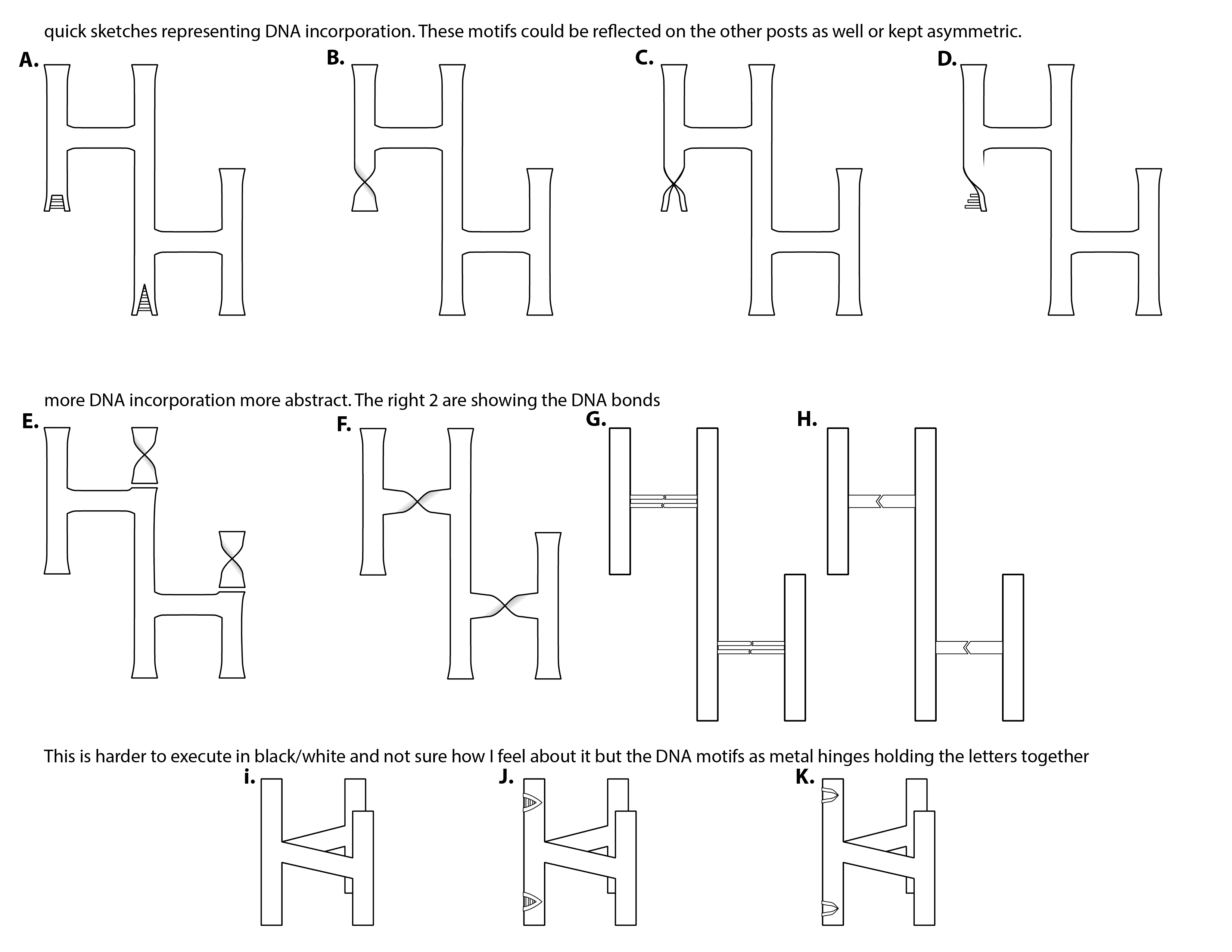
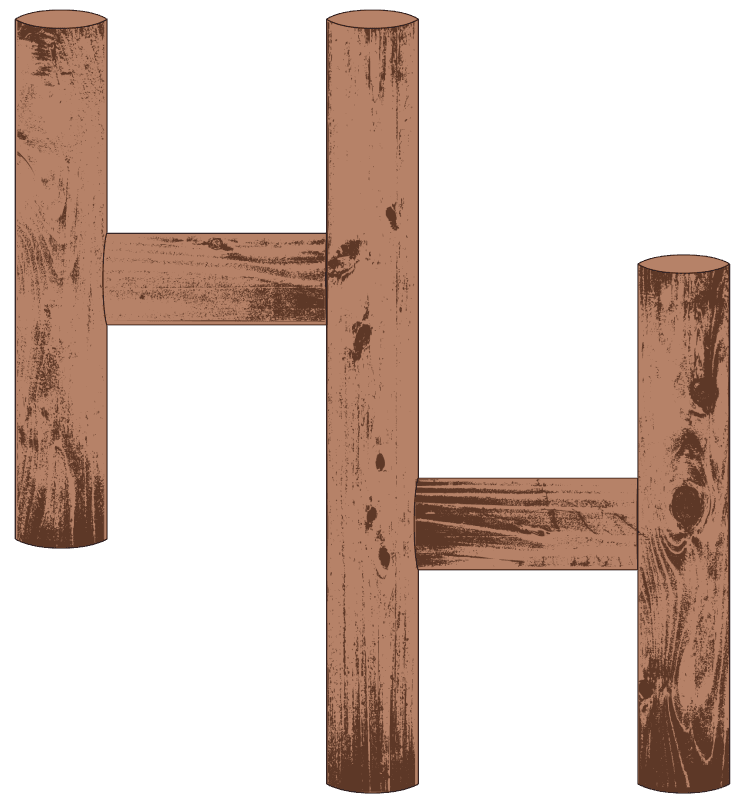
The client had a lot of ideas for logos which started as a pencil sketch, as shown below. They wanted to see options featuring a rope wrapped around a hitching post as well as genetic symbols incorporated in the text. The rope and hitching post is what we ultimately landed on.
Final Logos

High Detail Logo
Simplified Logo
Colors
Inspiration
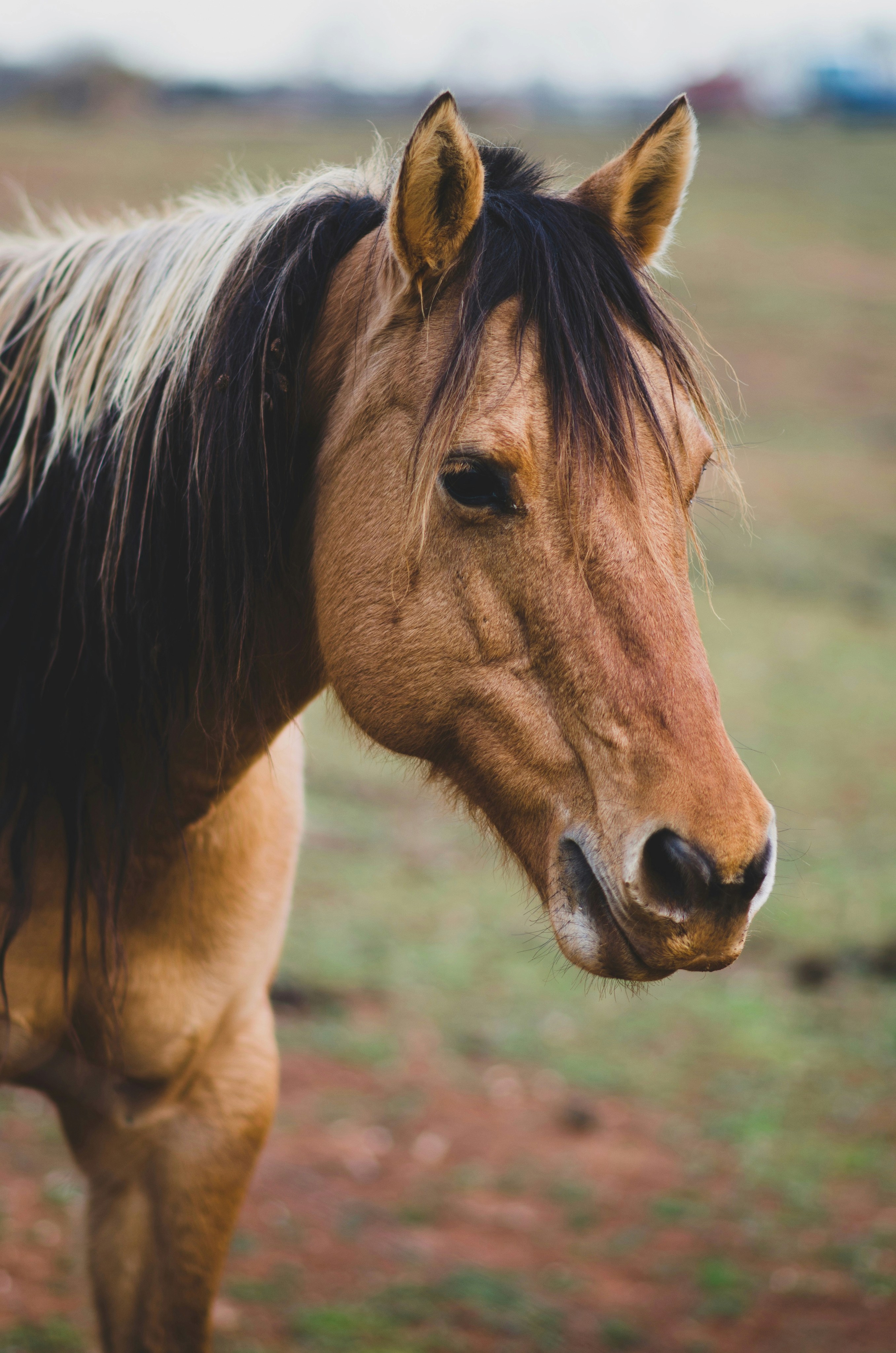
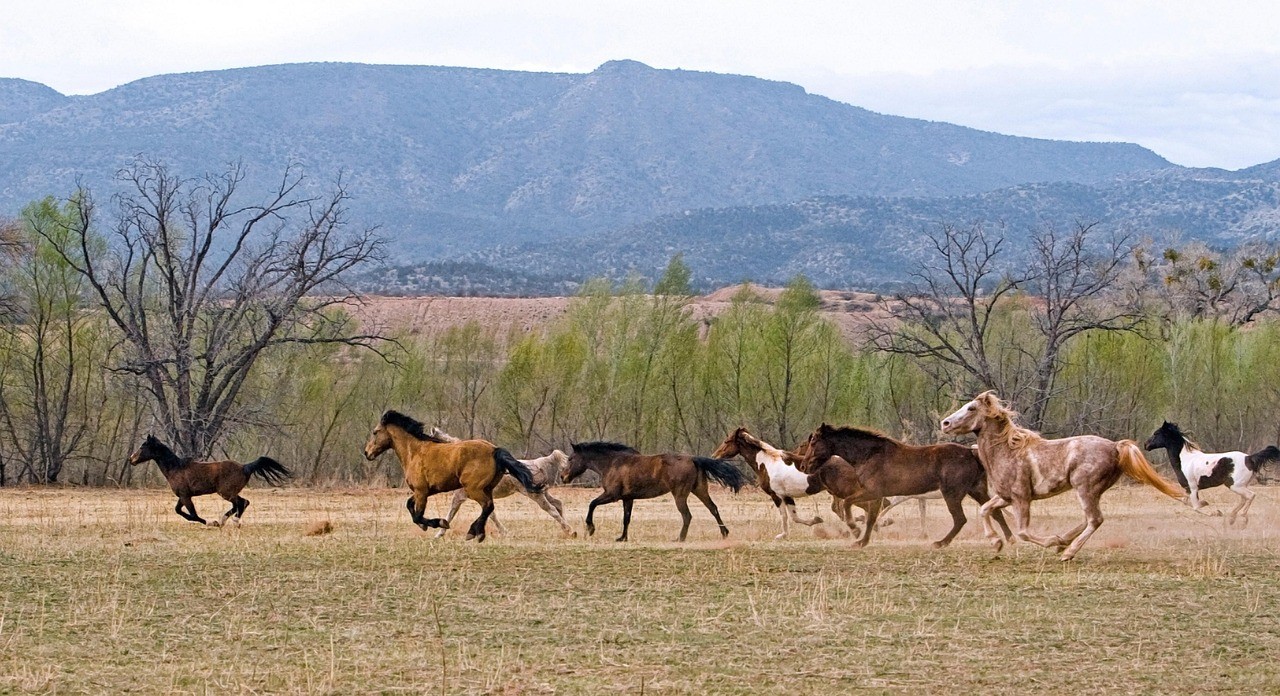
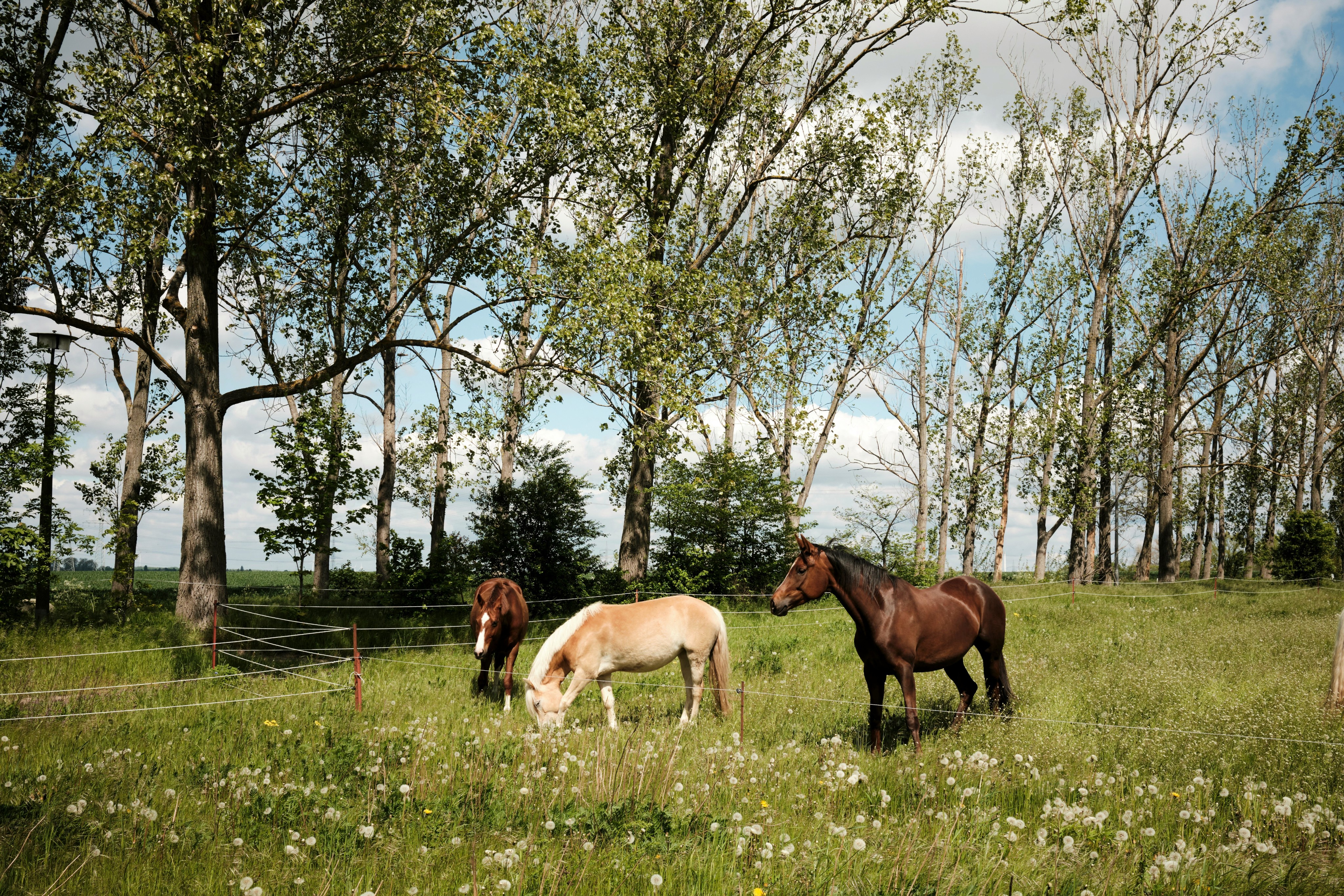
The client felt strongly about keeping familiar colors to the user for the palette. This meant staying with a natural color scheme. Reference images shown below.
Final Colors
Primary Colors
#D0B6A4
#B18567
#7C5D48
#704C42
#492B1F
Secondary Colors
#67AD92
#01774A
#01472C
Neutral Colors
#1A0509
#FFFBF9
Typography
Working with the client it was clear they wanted tradition to show through in the text choices. We landed on a serif bold heading and paired with a more plain sans serif for body text and buttons.
CTA TEXT
LUSITANA BOLD
LUSITANA BOLD
90PT
HEADING
LUSITANA BOLD
LUSITANA BOLD
48PT
HEADING
LUSITANA BOLD
LUSITANA BOLD
30PT
SUB HEADING 1
LUSITANA REGULAR
LUSITANA REGULAR
22PT
SUB HEADING 2
POPPINS SEMIBOLD
POPPINS SEMIBOLD
16PT
BODY TEXT
POPPINS LIGHT
POPPINS LIGHT
14PT
BODY TEXT
POPPINS LIGHT
POPPINS LIGHT
12PT
Usability Testing
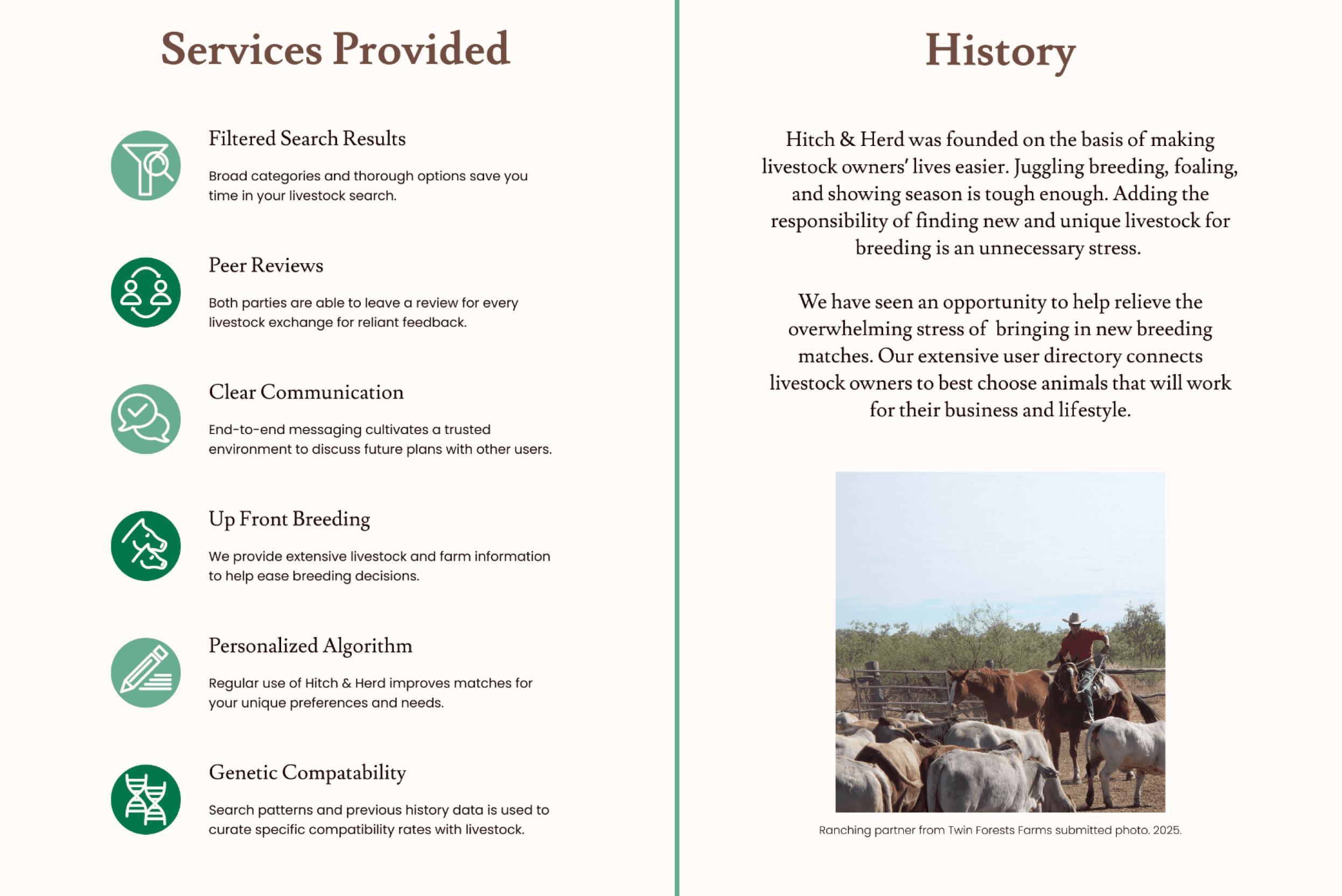
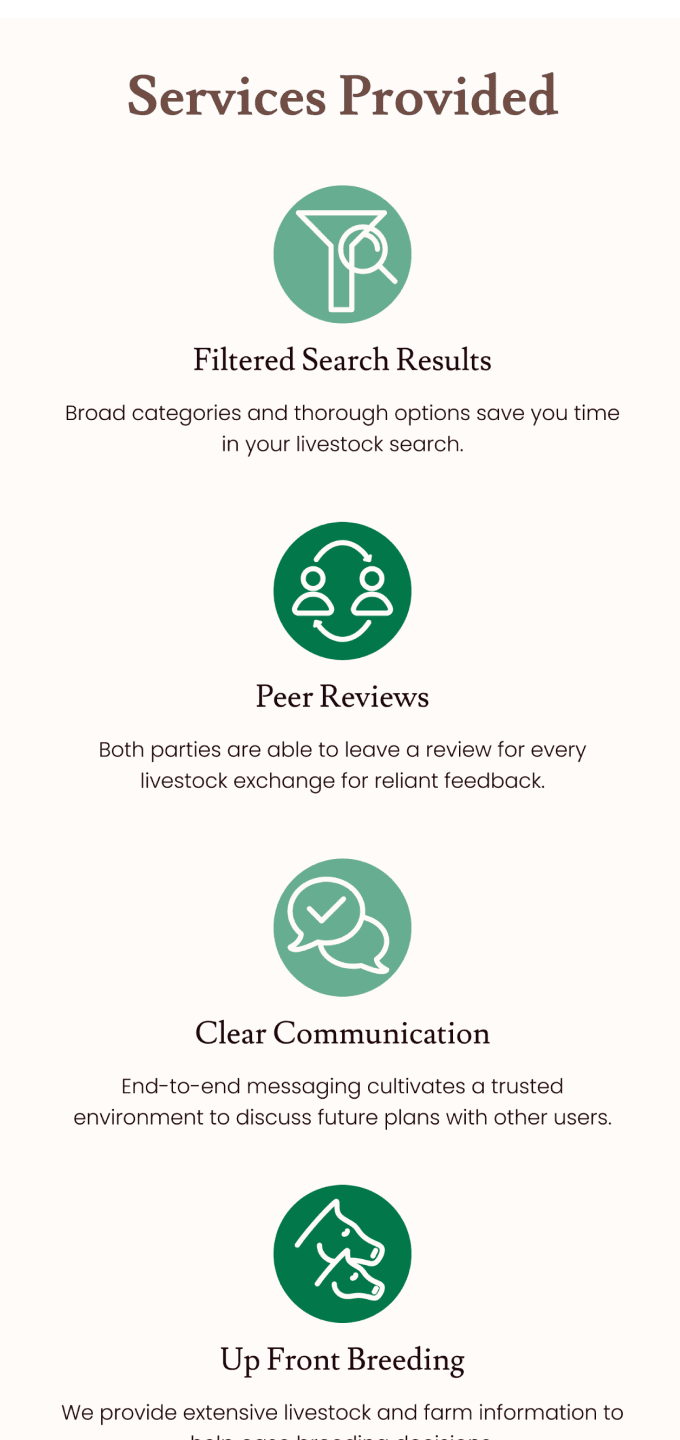
5 breeding professionals provided feedback in improving navigation of the product design. Unmoderated testing was conducted using the Maze platform.
Overview
Task #1
You are a horse breeder looking for a stallion that is 6-8 years old with a cremello blaze. How would you navigate to find a suitable option?
Task #2
Choose the horse resulted from your search.
Outcome
4/5 users successfully completed task #1
5/5 users successfully completed task #2
Patterns
For the first task, users had an average misclick rate of 53.8% which is really high. Only one person had issue with dropping off for this task.
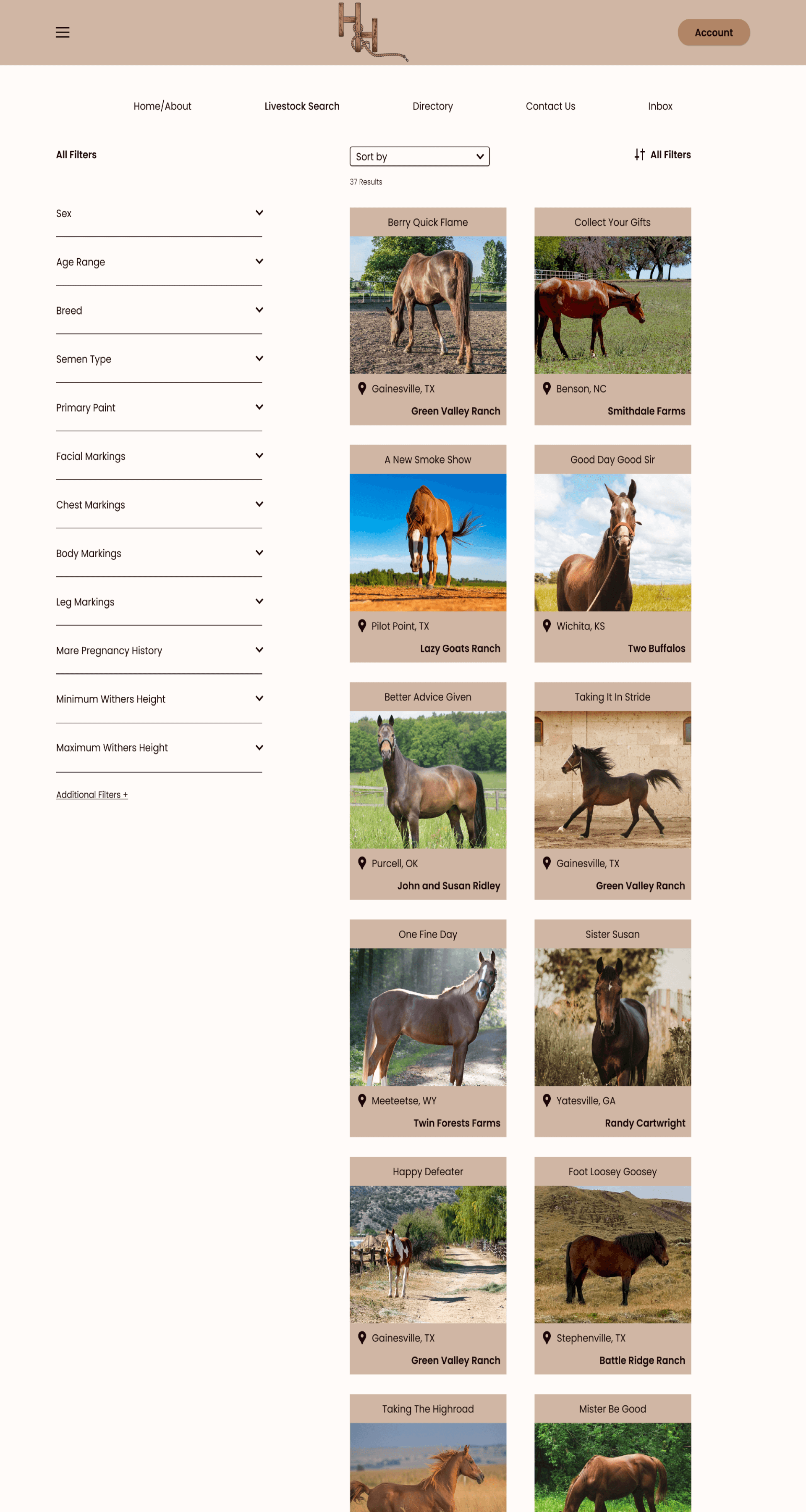
Upon looking at the heat maps this appears to be due to a small clickable area to expand filters.
Surprises
Users tried to go out of order for filter options other than what was wired for the prototype.
Considerations
Revise so that the entire filter option area is clickable to expand. This will help users get to their destination quicker
The issues users had difficulty with, clicking unclickable filter options & clicking filter options out of order, were more so difficulties in my prototype wiring.
Issue 1: Missed Wired Steps
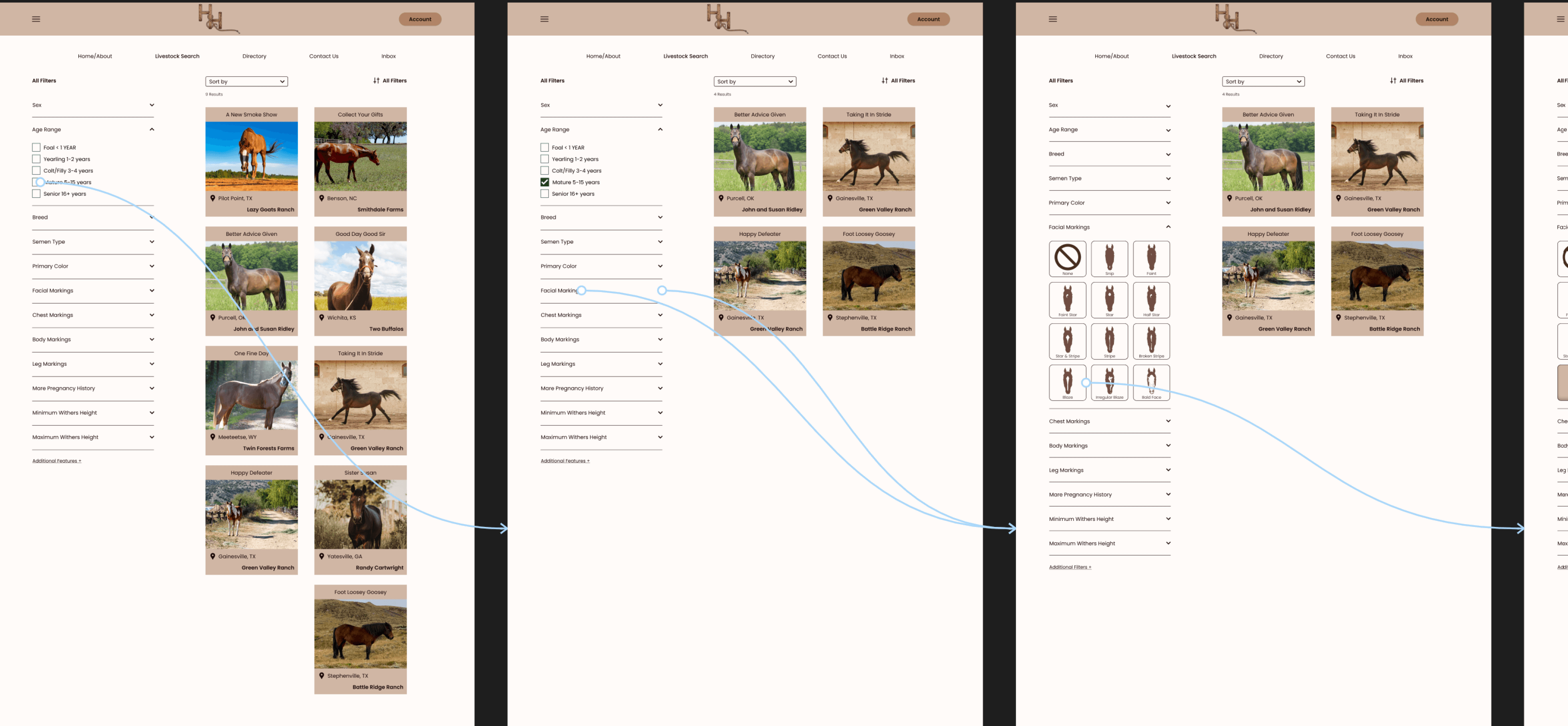
Task Summary
User testing participants were asked to find a horse with specific filter options.
The prompt as follows, “You are a horse breeder looking for a stallion that is 6-8 years old with a cremello blaze. How would you navigate to find a suitable option?”
Problem
Users searched for the filter options out of order than was intended during the wiring. This should have been accounted for as it is not a wrong method of reaching the task objective.
For accurate testing it is imperative that all possible options are wired for the screens to flow seamlessly.
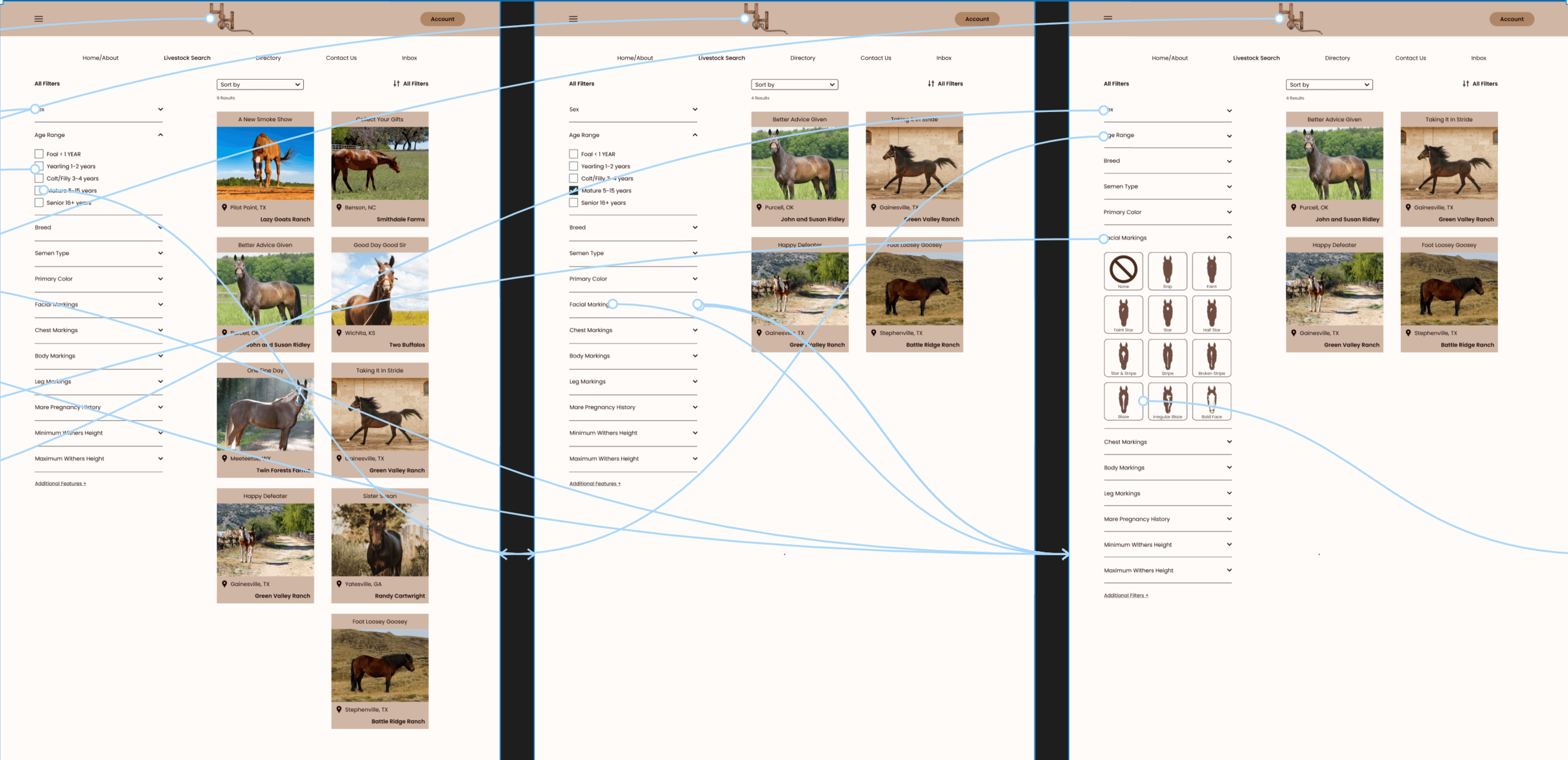
Solution
Revise wiring for future tests to include all possible pathways & user flows. This is something I was aware of prior to testing but I mistakenly thought users would follow as options were listed in the prompt.
Consideration
Without all possible pathways present testing is invalid. Users were mostly able to finish the task still but testing should be invalidated due to incomplete wiring. Go forward, must have all possible paths covered for wiring options.
Wiring should be ready for users to click filters in any order as they desire. This will ensure correct testing results as well.
Issue2: Filter Tabs Clickability
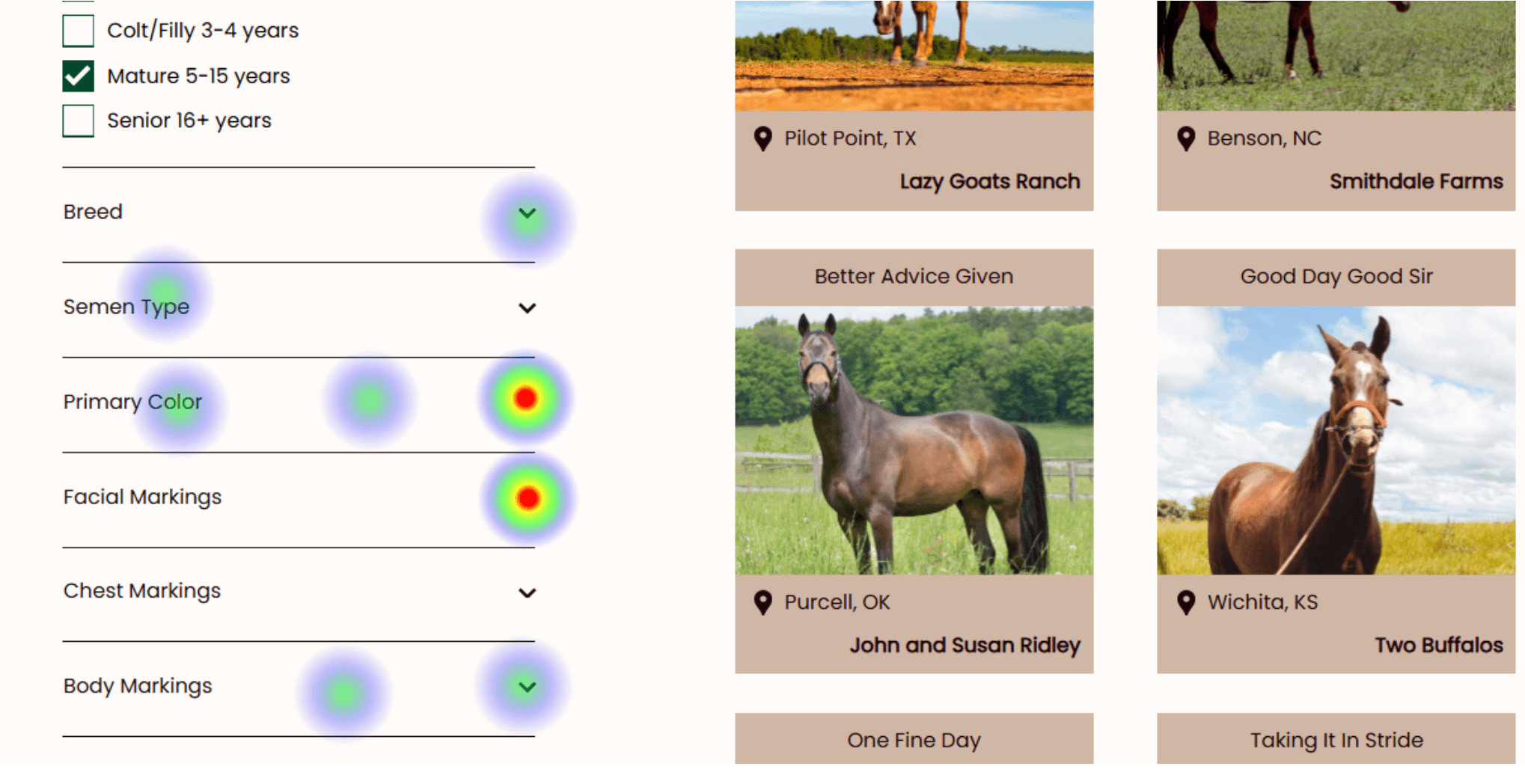
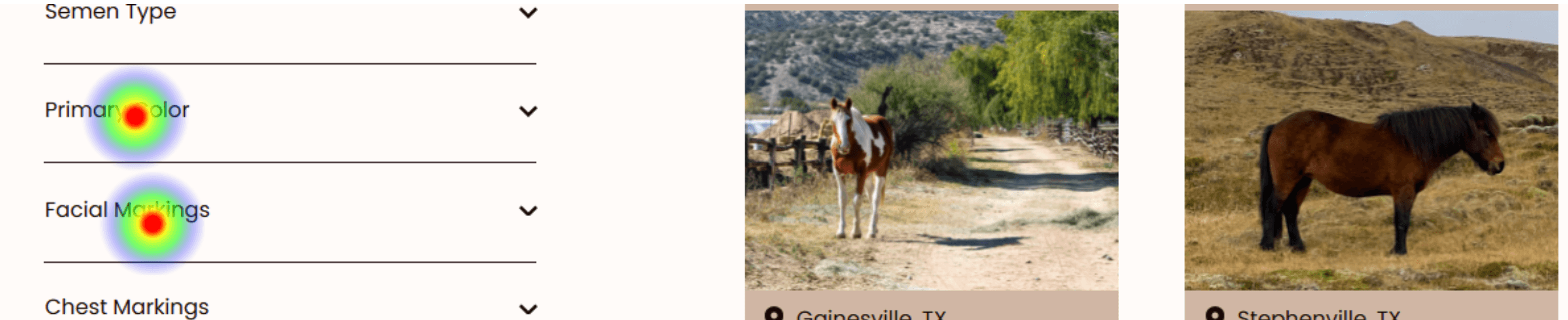
Task Summary
User testing participants were asked to find a horse with specific filter options.
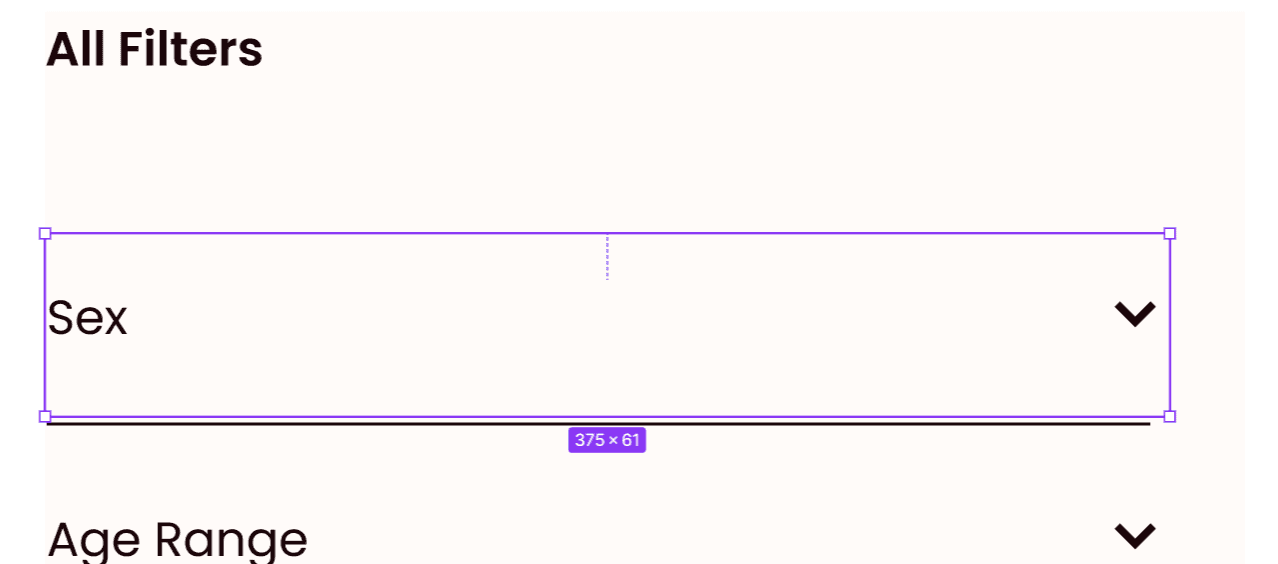
Heat maps showed users attempted to click areas outside of the wired areas of opening the filter options.
Problem
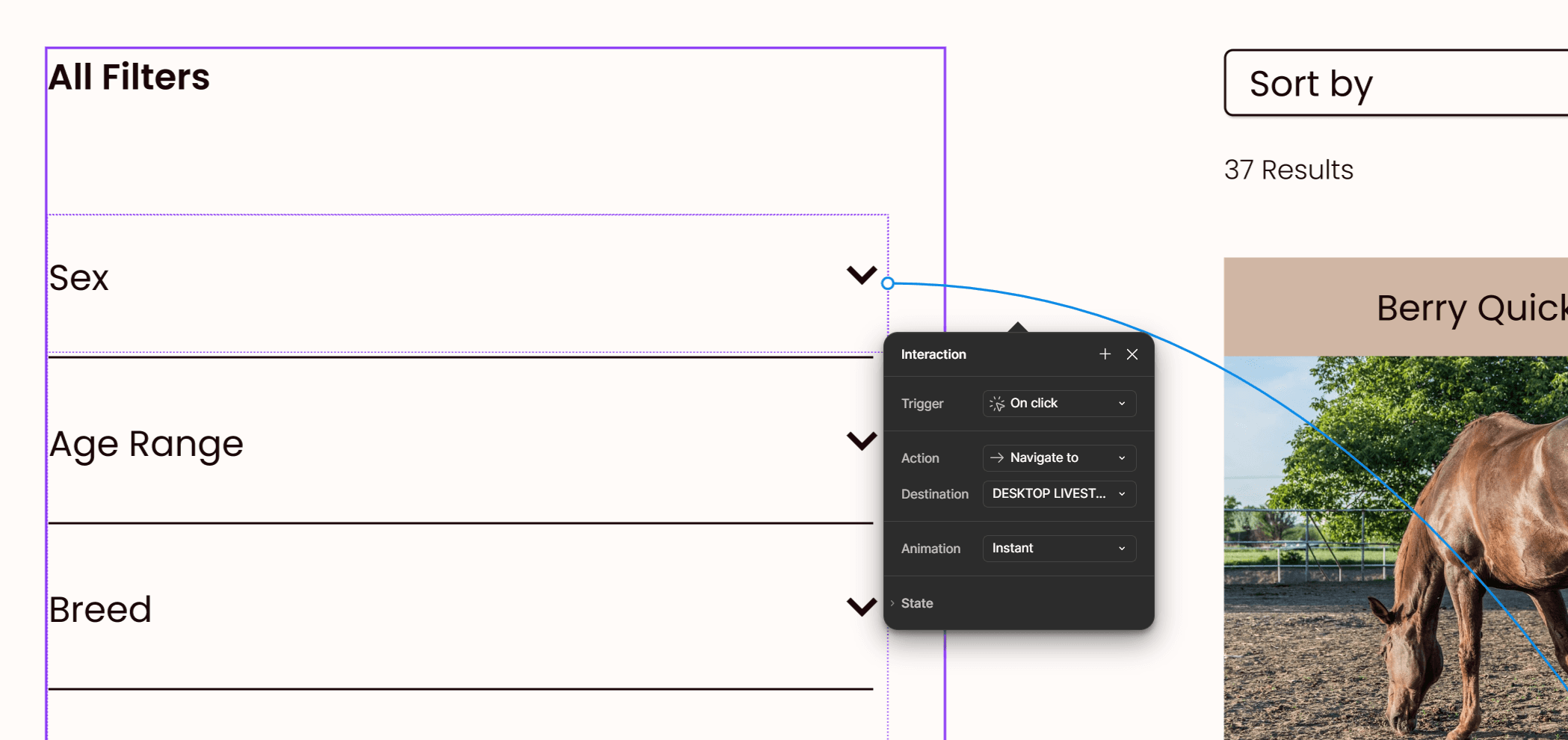
Users were able to successfully complete the task. However, they clicked on areas outside of the prototype wiring in order to open filter options.
For this small sample pool it did not deter users from finishing the task but it could affect future users’ experiences.
Solution
Increase the surface area on each filter option for most accessibility. This will lead to an increased success rate of users’ ability to open the filter.
Add an invisible section behind the filter text that can be wired to be clickable.
Consideration
This is an important element to correct. Any small possible annoyance can add up for users and make for a bad experience. This could affect users’ desires to revisit the website in the future.
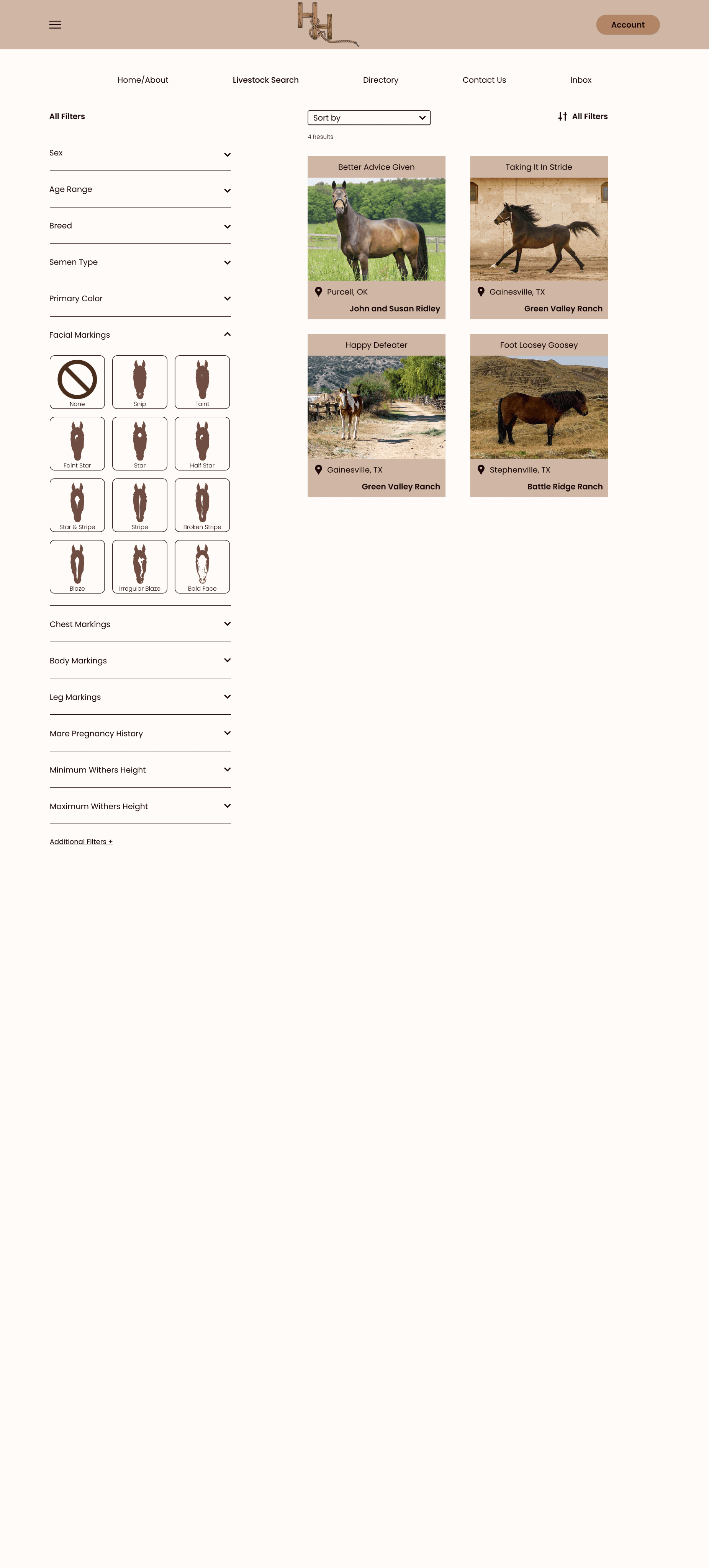
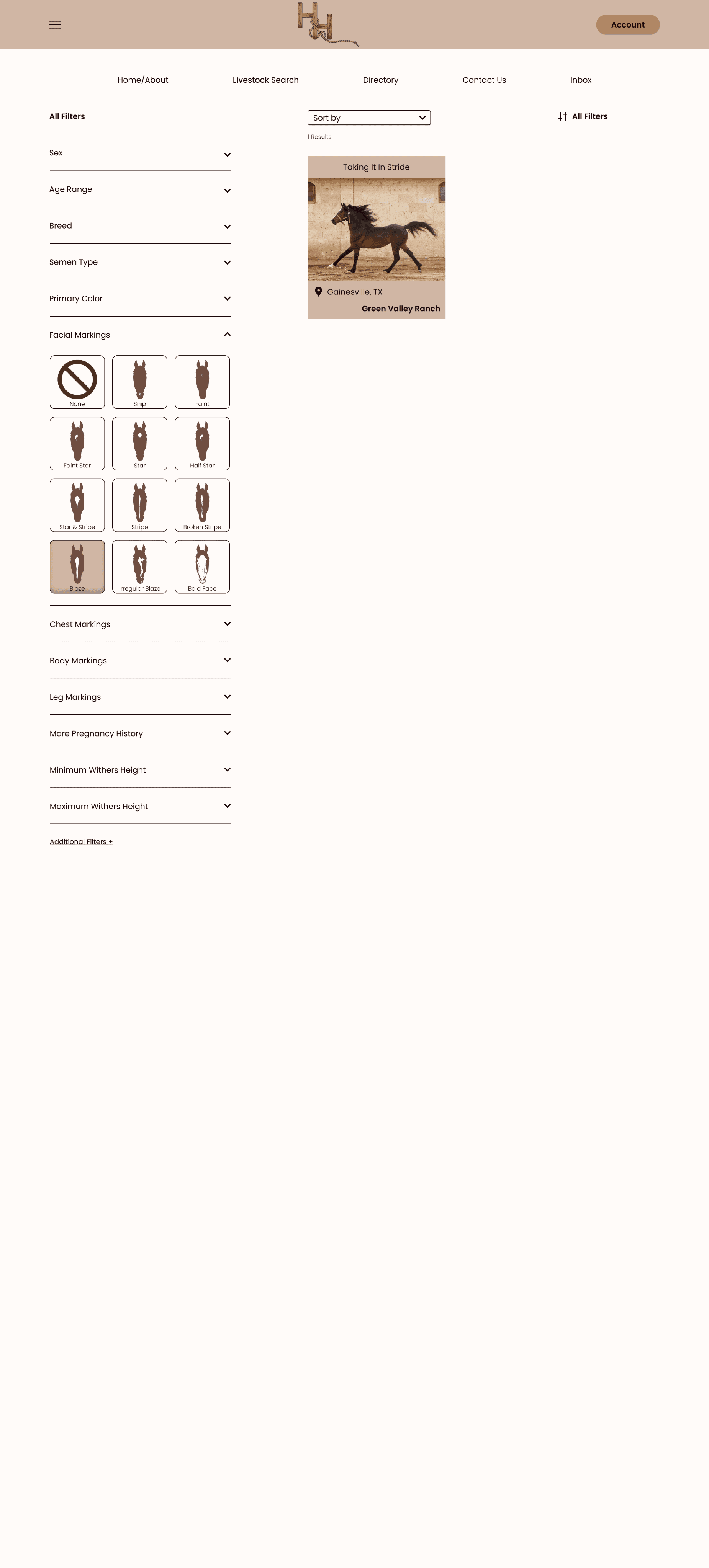
High-Fi Screens showcasing the updates
Conclusion
Challenges
Hitch & Herd is a networking platform used to link livestock breeders to broaden their herd potential. Users who are looking to expand their genetics quickly and efficiently online can connect with users of the same goal. Think of it like a dating app but for livestock!
This startup focuses on horse breeding specifically in its beginning. Horse breeders have 3 busy seasons per year; show, breeding, and foal. This is a recipe for chaos and no rest. Users could benefit from a product doing the networking for them.
Lessons
Livestock breeders are fearful of trying new concepts when it comes to something as precious as their livelihood. Steeped in tradition, gaining trust in using a new product to connect their animals for breeding is tricky.
Alternatives
Networking has always been done by personal connections and word of mouth. This method works but it is time consuming. Once users are able to see the ease that a software can provide they can gain confidence. Additionally, Hitch & Herd has breeding experts already in support of the product which may help settle any distrustful woes.
Future
Networking has always been done by personal connections and word of mouth. This method works but it is time consuming. Once users are able to see the ease that a software can provide they can gain confidence. Additionally, Hitch & Herd has breeding experts already in support of the product which may help settle any distrustful woes.
Let’s chat!
gracie
bojorquez